
Odoo provides a Multi Teams option that allows a salesperson to be assigned to multiple sales teams. This setting is useful for businesses where employees handle sales activities across different teams.
When Multi Teams is disabled, a salesperson can generally belong to only one sales team at a time. Assigning that person to another team will remove them from their previous team.
What Is the Multi Teams Option in Odoo?
The Multi Teams option in Odoo CRM controls whether the same salesperson can be a member of multiple sales teams.
For example, a salesperson might need to work with both the Sales Team and the Pre Sales Team. Enabling Multi Teams allows the same person to be associated with both teams instead of restricting them to a single team.
How to Enable Multi Teams in Odoo
Follow these steps to enable the Multi Teams feature:
- Open the CRM application.
- Navigate to Configuration → Settings.
- Locate the CRM section.
- Enable the Multi Teams option.
- Click Save to apply the changes.
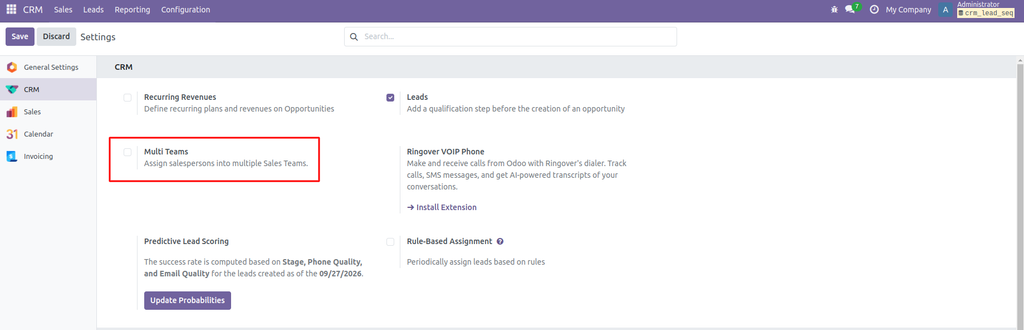
Example
Suppose a company has two sales teams:
- Team A: Sales
- Team B: Pre Sales
A salesperson named Marc handles customers for both teams.
- Multi Teams enabled: Marc can be a member of both Team A and Team B.
- Multi Teams disabled: Assigning Marc to Team B will remove him from Team A.
Note :- This “Multi Teams” feature is part of CRM odoo Since odoo15.
Conclusion
The Multi Teams option in Odoo CRM provides flexibility in managing sales team members. Enable it when your business needs the same salesperson to work with multiple teams. If each salesperson should belong to only one team, keeping the option disabled may be more appropriate.